FreeAgent for Raycast
Technologies
I run my freelancing and contracting business through Spacestar Digital, and FreeAgent handles all my invoicing, time tracking, and bookkeeping. It’s solid software, but every time I need to quickly check if a client has paid or log some hours, I’m switching windows, waiting for pages to load, and clicking through menus.
I’m also a heavy Raycast user. If you’re not familiar, Raycast is a keyboard launcher for Mac that does what Spotlight wishes it could. Extensions let you do almost anything without touching your mouse.
So I built one that connects the two.
The problem
Context switching is expensive. When I’m deep in code and remember I need to log some time or check on an invoice, the flow goes something like:
- Cmd-Tab to browser
- Find the FreeAgent tab (or open a new one)
- Wait for the page to load
- Navigate to wherever I need to be
- Do the thing
- Try to remember where I was
Multiply that by a few times a day and it adds up. What I wanted was a way to do the quick stuff, checking invoice status, logging time, spotting unexplained bank transactions, without leaving my keyboard.
What it does
The extension brings FreeAgent’s core features into Raycast:
Invoice management
View all your invoices, filter by status, and create new ones. Check if a client has paid in seconds without opening your browser.
Time tracking
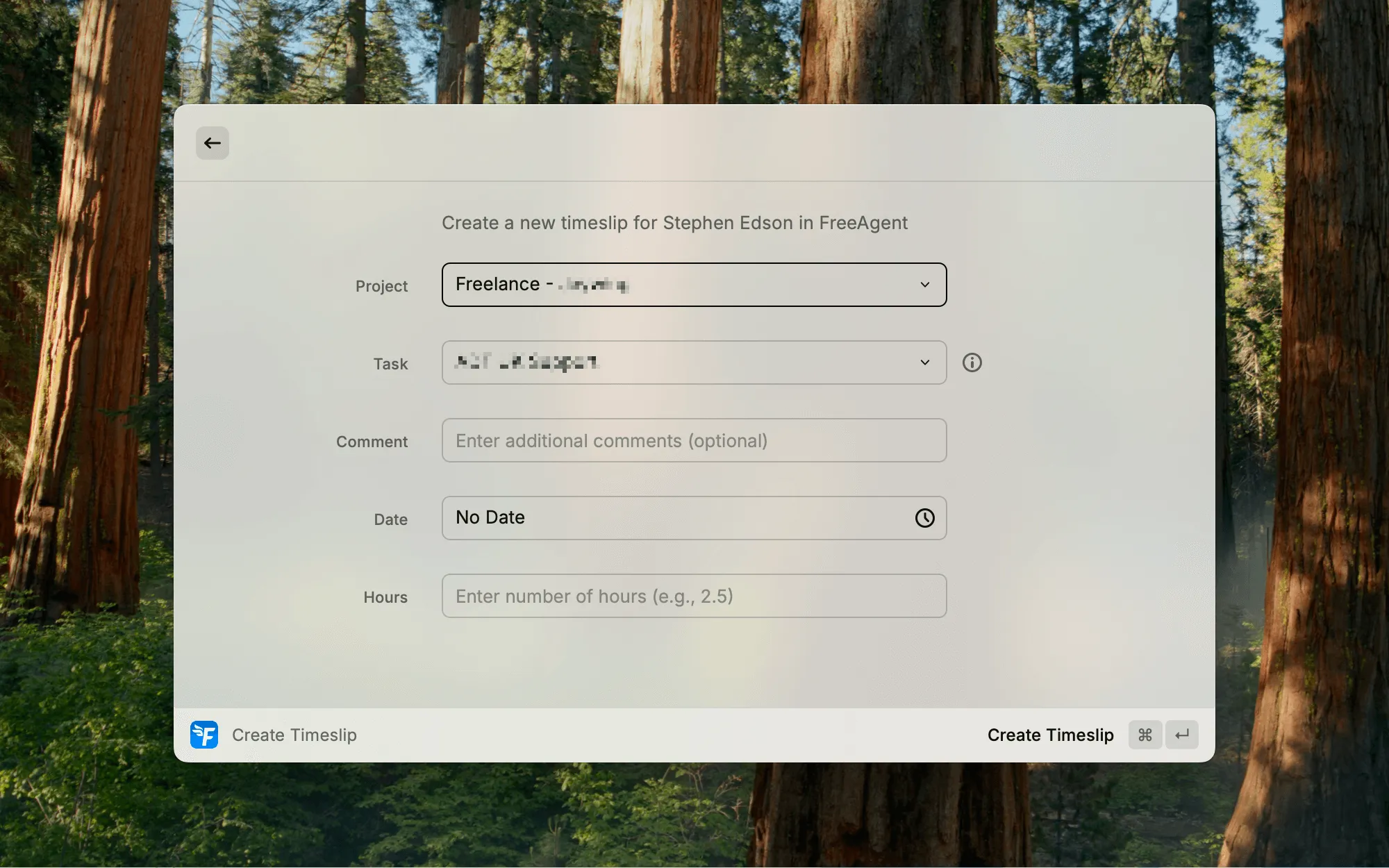
Log timeslips and create tasks as you work. I use this constantly, it’s much easier to track time when you don’t have to break your flow to do it.
Banking
See all your bank transactions and quickly identify unexplained ones that need attention. Way better than letting them pile up until your accountant asks questions.
Tax timeline
Keep an eye on upcoming tax deadlines. Useful for that “when’s my next VAT return due again?” moment.
AI tools
The latest update plugs the extension into Raycast’s AI Extensions. That means you can @freeagent from Quick AI, AI Commands, or AI Chat, and the AI can call the extension’s tools directly to do real work in your account.
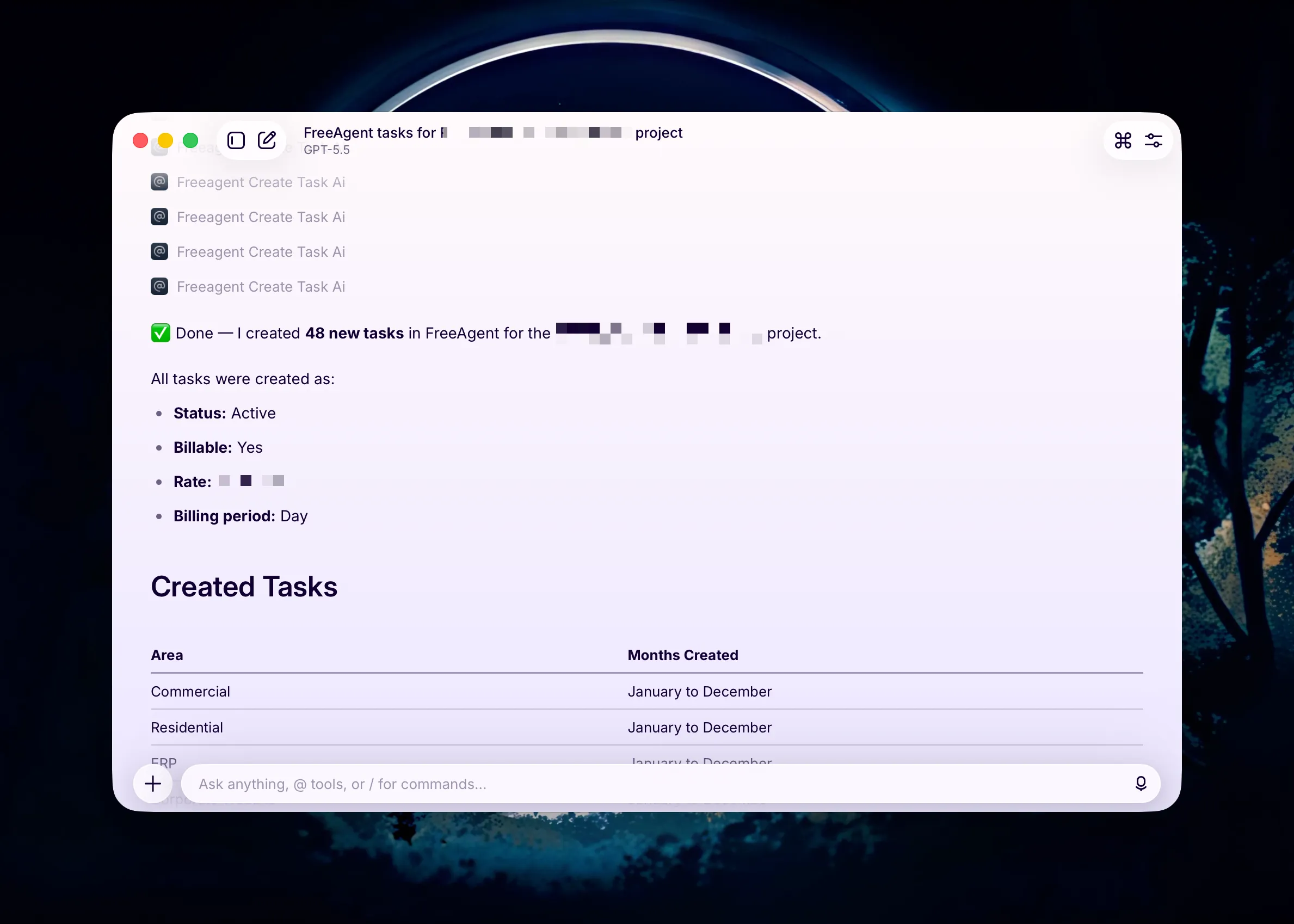
This one has already paid for itself. I had a client project where I wanted to invoice each area of the work separately, by month. So I needed tasks like “Website - May”, “Residential - May”, “Commercial - May”, “ERP - May”, and the same for every month of the year. That’s 4 × 12 = 48 tasks, all named consistently, all tied to the right project. Not something I was looking forward to doing by hand.
Instead I prompted Raycast once. It created all 48 tasks, in the right project, with the right billing settings. It also tidied up some old tasks in the same project that were no longer needed. The whole thing took about 30 seconds.
The tools cover the common stuff: creating and updating invoices, timeslips, projects, and tasks; explaining and categorising bank transactions; uploading file attachments; pulling summaries of cash flow, client activity, and unexplained transactions. Because Raycast extensions can talk to each other through AI, you can chain it with tools from other extensions, like grabbing a file from your downloads and attaching it to a transaction in one prompt.
How it works
The extension uses OAuth 2.0 with PKCE for authentication, the same security standard FreeAgent uses for third-party apps. No accounting data is stored locally beyond the authentication tokens needed to connect to your account. Your financial data stays between you and FreeAgent.
Get it
It’s also open source. If you want to contribute or just poke around the code, you can find it in the Raycast Extensions repository on GitHub.